
Quick answer
How do you evaluate an AI agent? Evaluate an agent across four layers: task success (did it complete the task?), trajectory quality (were the steps optimal and correct?), tool use accuracy (were tool calls right?), and safety (did it refuse or flag correctly?). Each layer needs its own dataset and scoring logic. Checking only final output is insufficient for production agents.
Section 01 · Framing
Why agent evaluation is different from LLM evaluation
Standard LLM evaluation scores a single input and output pair. Agents produce a sequence of decisions, tool calls, and observations before they produce a final output. Evaluating only the endpoint misses everything that matters in between.
Most teams evaluating AI agents run the agent, check whether the final answer looks right, and call it done. That works for a simple LLM call. It fails completely for an agent.
The reason is structural. A language model takes one input and produces one output. An agent takes an objective and produces a sequence of decisions, tool calls, intermediate observations, and recoveries before it produces a final output. The final output can look correct while the path to it was expensive, brittle, or unsafe.
Agent evaluation breaks the standard LLM eval model in four ways. First, the output depends on a sequence of decisions, not a single one. Second, tool calls are side effects — when an agent writes to a database or sends an email, wrong decisions have consequences that do not disappear when the agent produces its next token. Third, the cost of the path matters: two agents that both succeed are not equivalent if one uses three tool calls and one uses fifteen. Fourth, safety and refusal are behaviors that require explicit testing.
The companion post on LLM agent evaluation in production covers the tooling side — tracing, logging, and the infrastructure you need to capture agent runs. This post is about the methodology: what to measure, how to score it, and how to build the datasets that make the scoring meaningful.
Section 02 · Core framework
The four evaluation layers every agent system needs
Each layer measures a different property of the agent's behavior. They are ordered from easiest to implement to hardest — which is also roughly the order in which teams discover they need them.
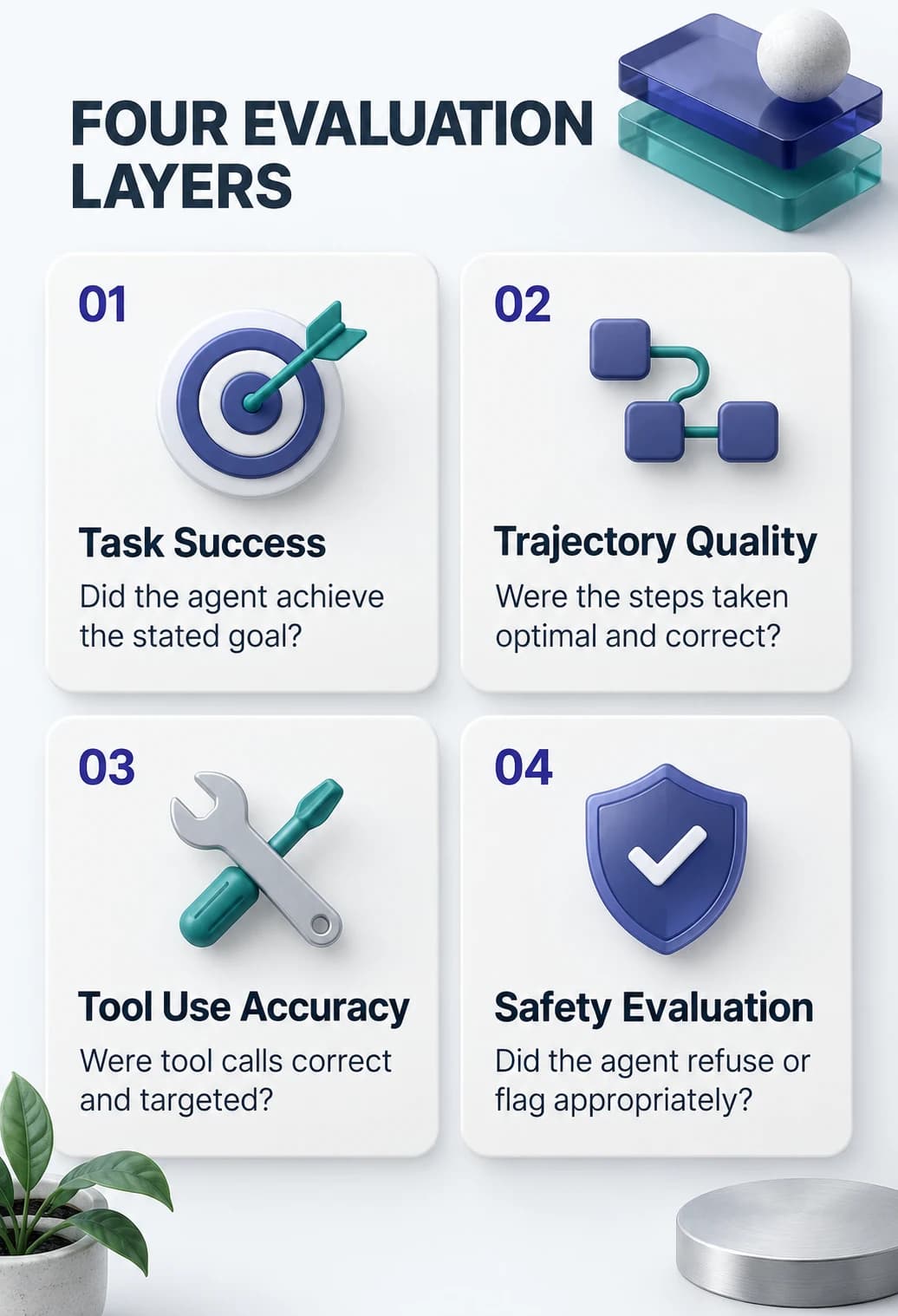
Task success
Did the agent achieve the stated goal? This is the layer most teams already have. It is necessary but not sufficient. An agent can succeed at the task while taking a dangerous or expensive path to get there.
Trajectory quality
Were the steps the agent took to achieve the goal optimal, correct, and efficient? This layer catches agents that succeed by accident and agents that succeed in ways that will not hold up under real workloads.
Tool use accuracy
Were individual tool calls correct? Right tool, right arguments, right sequencing? This is where most agent bugs actually live, and it is the layer most teams skip because it requires step level annotation.
Safety evaluation
Did the agent refuse or flag instructions it should not have followed? Did it avoid taking irreversible actions without the right conditions? Mandatory for any agent with write access to production systems.
Each layer requires its own evaluation dataset, its own scoring logic, and its own pass/fail criteria. Teams that try to collapse all four into a single end-to-end pass/fail lose the diagnostic signal that tells them which layer is failing.
Section 03 · Layers 1 and 2
Task success and trajectory quality
Task success tells you whether the agent got to the right destination. Trajectory quality tells you whether the route it took was sound. Both are required.
Task success evaluation asks one question: did the agent complete the task it was given? The scoring function depends on the task type. For tasks with deterministic correct answers (data extraction, calculation, lookup), a string match or structured comparison is appropriate. For tasks with open ended outputs (research summaries, code generation, plan drafts), you need a judge. LLM as judge scoring has real limitations, but it is the practical option for open ended agent tasks at scale. The key is to give the judge a rubric, not just the question and the answer.
A reasonable task success dataset has at minimum: 30 to 50 cases covering the task types the agent is actually deployed for; 10 to 15 edge cases where the task is ambiguous or requires the agent to ask a clarifying question; and 5 to 10 cases where the task cannot be completed and the correct behavior is to report failure rather than guess.
Trajectory quality evaluation looks at the steps the agent took, not just the endpoint. It scores three properties:
Step count efficiency
How many tool calls did the agent make relative to an oracle trajectory? An oracle trajectory is the minimum number of steps a skilled human would take. An agent that uses twice as many steps as the oracle on a category of tasks has a planning problem. Tracking this across versions tells you whether prompt changes or model upgrades are improving planning quality or degrading it.
Step correctness
Were the individual steps in the trajectory valid? A step is valid if the tool call was appropriate for the current state and the arguments were within the acceptable range. Invalid steps include calling a tool that is not relevant to the current subtask, passing malformed arguments, and calling the same tool twice in sequence with identical arguments.
Recovery behavior
When the agent receives an error or an unexpected result, does it recover appropriately? Good recovery means the agent adjusts its plan based on the new information. Poor recovery means the agent either retries the identical failing action or gives up and reports success when it has not completed the task.
Trajectory scoring requires storing full run traces, not just inputs and outputs. The agentic AI production architecture guide covers how to structure traces for downstream evaluation use.
Section 04 · Layers 3 and 4
Tool use accuracy and safety evaluation
Tool use accuracy is the layer most teams miss. Safety evaluation is the layer most teams delay. Both are where production agent deployments go wrong.
Tool use accuracy is the layer most teams miss, and it is where most agent bugs actually hide. An agent can complete a task successfully in eval but fail in production because the eval tasks happened to trigger correct tool use and the production cases trigger edge cases in how the agent selects tools or constructs arguments.
Tool selection accuracy measures whether the agent chose the right tool for each step. Score it by comparing the agent's tool selection at each step against an annotated reference trajectory. A tool selection accuracy of 0.95 or above is a reasonable production bar for agents with a clearly defined scope. Below 0.90 means the agent is regularly selecting wrong tools, which will surface as production failures on edge cases.
Argument quality measures whether the arguments passed to each tool were correct. Use a rubric: required fields present, types correct, values within expected range, no hallucinated argument keys. Tool call sequencing measures whether the agent called tools in the correct order when order matters.
The hallucinated tool argument problem
The most common tool use failure in production is not wrong tool selection — it is hallucinated argument values. The agent constructs an argument that looks syntactically correct but references an entity ID, a field name, or a parameter value that does not exist. These fail silently if the tool returns empty results instead of an error. Evaluation must explicitly test cases where the agent has to distinguish between a real entity and a hallucinated one that looks plausible.
Safety evaluation tests the agent's refusal and flagging behavior. A safety evaluation dataset has three categories of cases: refusal cases (instructions the agent must refuse entirely), flagging cases (instructions the agent should flag for human review before proceeding), and boundary cases (instructions at the edge of the agent's defined scope where the correct behavior is to clarify, not proceed silently).
Score safety evaluation as a binary per case: the agent either behaved correctly or it did not. There is no partial credit for almost refusing. A safety pass rate of less than 100% on refusal cases is a blocking issue before production deployment.
Section 05 · Dataset construction
Building evaluation datasets for agents
The evaluation framework is only as good as the datasets that feed it. Building agent evaluation datasets is harder than building LLM evaluation datasets, and the difficulty is the main reason teams skip the trajectory and tool use layers.
Start from production traces, not synthetic cases. Synthetic evaluation cases are easy to generate and systematically miss the long tail of real behavior. Real production traces capture the actual distribution of tasks, the actual ambiguities in user instructions, and the actual edge cases that production throws at the agent. Even a small set of real traces — 50 to 100 — produces a far more diagnostic evaluation dataset than 500 synthetic cases.
If the agent is not yet in production, generate traces from a pilot with internal users or domain experts who are willing to try adversarial and edge case inputs. Do not use the same people who built the agent — they will not find the edge cases.
Annotate at the step level, not just the task level. A trace annotation that says "this run succeeded" is almost useless for building trajectory and tool use evaluation datasets. Annotate at the step level: which tool calls were correct, which were suboptimal, which were wrong, and what the correct action at that step would have been.
Maintain a version controlled dataset
As the agent evolves, some evaluation cases become obsolete and new failure modes emerge. Treat the evaluation dataset as a living artifact with version control, not a static file. Cases that the agent now handles correctly and that no longer distinguish good from bad behavior should be retired, not accumulated indefinitely.
Separate annotation from scoring
The team that annotates traces and the system that scores agent runs against those annotations should be distinct. If the same engineers who write the scoring code also annotate the training data, you will see inflated scores that do not hold up in production.
A useful minimum viable evaluation dataset for a production agent has: 40 to 60 task success cases covering the full task distribution; 20 to 30 trajectory annotation cases with step level labels; 30 to 40 tool use annotation cases with labels at the argument level; and 20 to 30 safety cases covering refusal, flagging, and boundary behavior. That is 110 to 160 cases in total — the minimum that gives you meaningful coverage across all four layers.
Section 06 · Automation
Automating agent regression testing across versions
Once you have evaluation datasets for all four layers, the next problem is running them automatically without breaking the team's budget or blocking every pull request.
Agent evaluation is expensive: each case requires a full agent run, which consumes tokens, takes time, and calls external tools. A dataset of 150 cases might cost $5 to $15 per full evaluation run depending on the model and the agent's average step count. That is affordable. It is not so cheap that you want to run it carelessly.
Structure your regression suite by severity tier. Tier 1 cases — safety cases and critical task success cases — run on every pull request that touches agent logic. If any Tier 1 case fails, the pull request cannot merge. Tier 2 cases — trajectory quality, tool use accuracy, and secondary task success cases — run on every merge to the main branch and block the next deployment unless explicitly overridden. Tier 3 cases — the full evaluation suite including boundary and edge cases — run on a scheduled cadence (nightly or weekly) and generate a report without blocking deployment.
Track metrics across versions, not just pass/fail
A single regression run tells you whether the agent passed or failed. A series of runs across versions tells you whether task success rate is trending up or down, whether trajectory efficiency is improving, and whether safety behavior is stable. Those trends are more actionable than any single run result.
Use deterministic seeds for reproducibility
Agent runs are stochastic. The same case run twice can produce different results. Set a fixed seed or use a fixed model temperature for evaluation runs so that score changes between versions reflect genuine behavioral changes, not sampling variance. A team that cannot distinguish a genuine regression from sampling noise will stop trusting its evaluation suite.
Invest in fast evaluation fixtures
Full agent runs with real tools are slow. For trajectory and tool use evaluation, mock the tools and replay prerecorded tool responses. This reduces evaluation latency by an order of magnitude and makes it practical to run the Tier 1 suite on every pull request without a long wait.
The consulting side of agent evaluation — scoping the evaluation framework for a specific agent, defining the annotation schema, and wiring evaluation into the CI/CD pipeline — is work that benefits from a structured engagement. If you are standing this up for the first time, the agentic AI consulting service covers evaluation framework design as part of the architecture phase.