Quick answer
What is AI agent workflow automation? AI agent workflow automation means connecting AI agents to real systems so they can execute multistep tasks autonomously in response to triggers. Each workflow encodes a goal, the tools an agent can use to pursue it, and the conditions under which the agent hands off, escalates, or terminates. Unlike static scripts, agent workflows reason about ambiguous inputs and adapt their execution path based on intermediate results.
Section 01 · The engineering problem
Why custom agent pipelines differ from no code automation
No code tools model automation as deterministic data flows. Every path is known in advance. Custom AI agent pipelines operate in a fundamentally different regime — and that difference creates four engineering challenges no code tools are not designed to handle.
Tools like Zapier, Make, and n8n are excellent for deterministic, high volume, low complexity integration work. Step A produces output X, which goes to step B, which produces output Y. The execution path is fixed at design time.
In a custom agent pipeline, the agent reasons about which tool to call next. The path is not fixed. This nondeterminism introduces engineering requirements that do not exist in deterministic automation.
State management
An agent executing over multiple steps needs to track what it has done, what intermediate results it holds, and what constraints remain unmet. Agent runtimes like LangGraph model this as a structured state schema that every node can read and update, with optional persistence to Postgres or Redis for workflows that must survive process restarts.
Retry semantics
When a tool call fails in an agentic workflow, the agent may have already written partial state, called external APIs, or modified downstream data. Naive retries create duplicate side effects. You need idempotency keys, checkpointing, and careful scoping of what counts as a retryable unit.
Token cost compounding
Every reasoning step in an agentic loop consumes tokens. A workflow that calls three tools, encounters one failure, retries twice, summarizes intermediate results, and produces a final response can easily consume fifteen LLM calls on a path that looks like a single user action. At $15 per million output tokens for frontier models, a workflow averaging 5,000 output tokens per run costs $0.075 at one call but $750 at 10,000 calls per day.
Nondeterminism under load
Stochastic LLM outputs that are acceptable in a prototype become reliability liabilities in production. Two runs of the same agent on the same input can take different tool paths and produce different outputs. Testing and observability strategies for deterministic code require significant rethinking for agentic systems.
For the deeper architecture context, the agentic AI production architecture guide covers the system level design decisions that precede pattern selection.
Section 02 · Pattern 1
Event driven automation
An event driven agent pipeline starts when an external event fires — a webhook, a message arriving in a queue, a database row changing state, or a file appearing in a watched bucket. The agent wakes, processes the event, takes action, and goes back to sleep.
This is the right pattern for high frequency, unpredictable event streams where each event should be processed quickly and independently. Support triage workflows that read a new ticket and route it to the right queue, code review agents that trigger on a pull request webhook, and document classification pipelines that fire when a file lands in a watched folder all fit this pattern well.
Use a queue, not a direct webhook
In production, the trigger is typically a message queue (SQS, RabbitMQ, Google Pub/Sub) rather than a direct webhook. Queues give you backpressure control, at least once delivery guarantees, and the ability to move unprocessable messages to a dead letter queue. The agent runtime consumes one message at a time, runs the agentic loop, and acknowledges or nacks the message based on outcome.
Keep each event handler stateless if you can. Any state the agent needs should be loaded at the start of the run and written at the end. This makes horizontal scaling trivial. If the agent needs to accumulate state across multiple events — a conversation thread, an analysis spanning multiple events — that state lives in a database keyed on the entity identifier, not in the agent runtime's memory.
If the trigger is a human action that requires interaction during the workflow — approval, clarification, partial input — event driven is the wrong pattern. Use human triggered instead.
Section 03 · Pattern 2
Scheduled automation
A scheduled agent pipeline runs on a cron style schedule. Daily report generation, weekly competitive analysis, nightly data enrichment, and periodic audits are canonical examples. This pattern looks simple but has two production requirements that are regularly missed.
Idempotency is not optional
Distributed cron systems — Kubernetes CronJobs, GitHub Actions schedules, Celery beat — regularly fire the same job twice on clock skew or scheduler restart. The agent must produce the same result and avoid writing duplicate side effects. Key each run on a deterministic identifier derived from the schedule tick (a date string, a week number, or a hash of the time window) and check for an existing run at that key before executing.
State persistence between runs
A scheduled agent that needs to know what it did in the previous run — to avoid reprocessing, to continue a long job, or to detect deltas from the last snapshot — needs a persistent state store. Temporal is purpose built for this: it persists workflow execution state as a log, so an agent interrupted partway through a run can resume from exactly where it stopped rather than starting over. OpenAI uses Temporal for Codex in production for precisely this reason.
Cost control for scheduled agents
Scheduled agents run at a known frequency, so their cost is predictable — until scope creep hits. A report generation agent designed to process 500 documents gets pointed at 50,000 and runs for eight hours without anyone noticing. Always set a hard token budget and a wall clock timeout on scheduled runs.
Section 04 · Pattern 3
Human triggered workflows
A human triggered workflow starts when a person explicitly initiates it — submitting a form, clicking a button, sending a message to a chat interface, or calling an API endpoint manually. The engineering distinction from event driven is not just the trigger source.
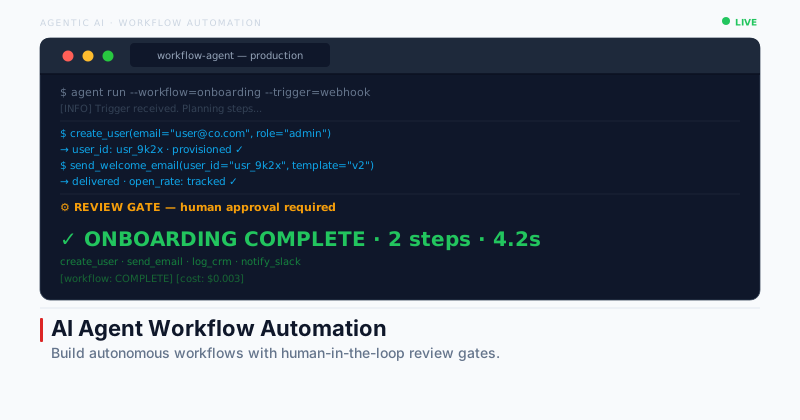
Human triggered workflows almost always require what practitioners call human in the loop checkpoints — defined points where the agent pauses, presents its intermediate work, and waits for confirmation before proceeding to a high stakes or irreversible action.
Where to put checkpoints
Not everywhere — that defeats the purpose of automation. The right checkpoint positions are at trust boundaries: before sending an external email or message the human has not reviewed, before writing to a production database, before executing a financial transaction, and before taking any action whose cost of reversal exceeds the cost of a brief human review.
LangGraph's interrupt mechanism is the standard implementation. You annotate a node in the graph as an interrupt node. When execution reaches that node, LangGraph serializes the current state, emits it to the caller (typically a UI or an async task queue), and parks the workflow. When the human signals approval or rejection, the workflow resumes from the interrupt point with the updated state.
A common production pattern is a hybrid workflow: the human fills out a structured form, the agent enriches that input with external data and reasoning, the human reviews and approves a generated plan, and the agent executes the approved plan autonomously. Each phase is matched to whoever can do it more reliably — human for intent, agent for research and execution.
Section 05 · Pattern 4
Cascading agent pipelines
A cascading pipeline is one where the output of one agent becomes the trigger for the next. The chain can be linear (a processing pipeline), fan out (one agent spawns multiple parallel agents), or fan in (multiple agents feed their outputs to an aggregator).
This pattern enables complex, multicapability workflows where no single agent holds all the required tools or context. A research pipeline might cascade a search agent to a reader agent to a synthesis agent to a formatter agent, each specialized for its role.
Fan out patterns
When you need to process multiple independent items in parallel — analyze five competitor pages simultaneously, generate five content variations, enrich a batch of customer records — you fan out from an orchestrator agent to worker agents. The orchestrator dispatches subtasks, the workers execute in parallel, and the orchestrator aggregates results. In Python this is typically implemented with asyncio.gather or a task queue. Token costs compound linearly with the number of parallel branches, so always bound that number.
Failure propagation
The critical engineering challenge in cascading pipelines is deciding how failures propagate. If Agent B fails, does Agent C fail too? Does the orchestrator retry Agent B or skip to a fallback? You must design these decisions explicitly for every connection in the chain. Implicit failure propagation — where a downstream agent silently receives empty or malformed output from a failed upstream agent and proceeds anyway — is the source of many subtle production bugs.
Observability across the chain
Cascading pipelines are the hardest agentic architecture to debug because a symptom at the output of Agent C may have a root cause at the input of Agent A, two hops upstream. Tools like LangSmith for LangGraph pipelines, or OpenTelemetry tracing with span attribution per agent, are necessary for maintaining visibility across the chain.
The multiagent design patterns guide covers the full topology set — orchestrator/worker, peer to peer, and hierarchical — in more detail.
Section 06 · Decision
Which pattern for which use case
Match the trigger type and execution shape to the right pattern before you build. The wrong pattern means fighting the architecture at every iteration.
| Use case | Pattern | Key requirement |
|---|---|---|
| New ticket arrives in support queue | Event driven | Queue backed trigger, stateless handler |
| Daily competitive intelligence report | Scheduled | Idempotency, delta detection |
| Weekly SEO audit with content gaps | Scheduled | State persistence, token budget cap |
| Content draft for human review and edit | Human triggered | Interrupt checkpoint before publish |
| Customer onboarding with compliance step | Human triggered | Approval gate before external write |
| Analyze 20 documents in parallel | Cascading fan out | Bounded concurrency, aggregation |
| Research to synthesis to write pipeline | Cascading linear | Explicit failure propagation |
| Code review on pull request webhook | Event driven | At least once delivery, idempotency key |
Section 07 · Reliability
Error handling and retries
Agentic workflows fail in ways that differ from ordinary API calls. The three categories of failure each require a different response strategy.
Tool call failure
The agent attempts to call an external API or tool and receives an error. The right response is a bounded retry with exponential backoff — typically three retries with delays of 1s, 2s, and 4s — followed by escalation if all retries fail. Always set a maximum retry budget. An unbounded retry loop against a failing external service is one of the primary causes of runaway token spend.
Token budget exhaustion
The agent runs out of context window or the workflow exceeds its token cap. This is a design failure, but it must be handled at runtime. The correct response is graceful degradation: emit whatever partial result the agent has reached, mark the run as incomplete, and flag it for human review. Do not retry a run that exhausted its token budget with the same configuration — it will exhaust tokens again.
Partial state corruption
The agent has written some but not all of its intended side effects when a failure occurs. Mitigate this with checkpointing — write agent state to a durable store at defined commit points, and design side effects as idempotent operations with rollback capability. For workflows that touch external systems, the saga pattern applies: each step has a compensating action that can undo its effect if a later step fails.
Circuit breakers
A circuit breaker wraps a tool or downstream service and tracks its failure rate. When the failure rate exceeds a threshold — say, five failures in the last sixty seconds — the circuit opens and subsequent calls fail immediately rather than timing out, giving the downstream service time to recover. This is standard practice in microservices and is equally important in agentic systems where a failing tool can cause the agent to retry in a tight loop.
Section 08 · Economics
Token cost model at scale
Token costs in agentic systems compound in ways that are not obvious from a single run. Understanding the loop multiplier is the first step to building workflows you can afford to run.
An agent with a 2,000-token system prompt, 1,000 tokens of tool results per call, and 500 output tokens per call consumes roughly (2,000 + n × 1,500) input tokens per run, where n is the number of tool calls. At n=5 that is 9,500 input tokens. At n=10 it is 17,000. Design agentic loops to minimize n.
Model routing
Not every step in an agentic workflow requires a frontier model. Tool call selection and routing decisions work well with smaller, cheaper models like GPT-4o mini or Claude Haiku. Reserve Claude Sonnet or GPT-4o for the steps that require genuine reasoning — synthesis, analysis, and final output generation. Teams that implement model routing consistently report 60 to 80 percent cost reductions without meaningful quality loss.
Prompt caching
If your agent always starts with the same system prompt, most LLM providers support prompt caching. Anthropic's prompt cache charges approximately 10 percent of the standard input token rate for cache hits and reduces latency by 75 percent. For high frequency agentic workflows with stable system prompts, caching the system prompt and tool definitions cuts input token cost by the fraction those tokens represent in the total context — often 30 to 50 percent.
Context compression
For agents that run long and accumulate large conversation histories, summarizing older turns rather than passing the full history on each call is necessary for both cost and latency. LangChain and LangGraph both support configurable memory backends that handle compression automatically. Design your summarization prompt to preserve the facts the agent most needs to reason correctly about future steps.
Cost budgets as a first class constraint
Treat token cost as a production metric with the same rigor as latency and error rate. Set token budgets per run. Alert when a workflow's average cost per run crosses a threshold. Track cost by workflow type and by model. Teams that do this consistently catch unexpected cost spikes from new edge cases within hours rather than weeks.
For a structured review of your agentic pipeline architecture — pattern selection, cost model, and error handling design — the agentic AI consulting service covers this as part of a structured discovery engagement.