Solana Hello World with Anchor: First Program Guide
By Mudassir Khan — Agentic AI Consultant & AI Systems Architect, Islamabad, Pakistan

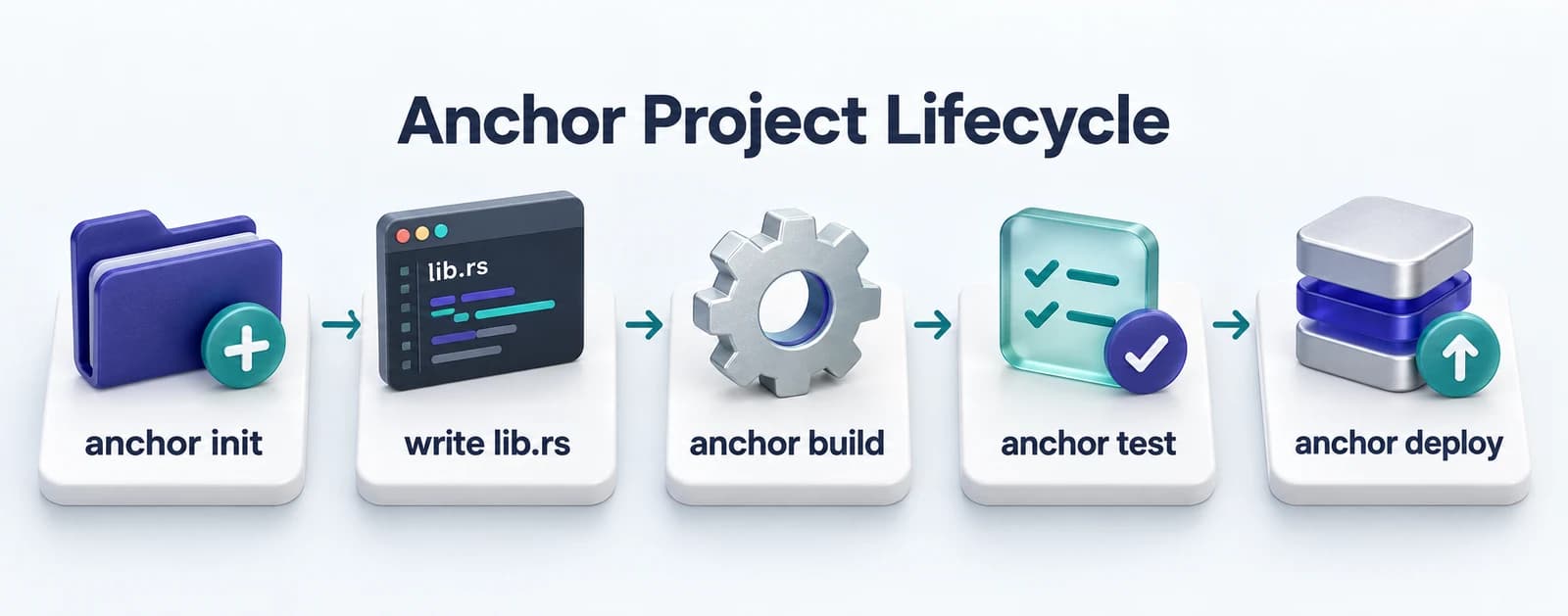
The fastest way to learn Anchor is to build something real. This guide walks through a complete counter program — create an account, increment a counter, read the value. By the end you will have a working Solana program deployed on devnet. If you are new to the framework, read the Anchor framework overview first, then come back here to build.
Setup
Prerequisites and Tooling
Four tools must be installed before anchor init will work: Rust, the Solana CLI, Node.js 18+, and Anchor Version Manager.
Quick answer
What do I need before writing Anchor programs? You need Rust (rustup), the Solana CLI, Node.js 18+, and Anchor Version Manager (avm). All four must be installed before running anchor init.
# 1. Rust
curl --proto '=https' --tlsv1.2 -sSf https://sh.rustup.rs | sh
source ~/.cargo/env

# 2. Solana CLI
sh -c "$(curl -sSfL https://release.solana.com/stable/install)"
export PATH="$HOME/.local/share/solana/install/active_release/bin:$PATH"

# 3. Anchor Version Manager
cargo install --git https://github.com/coral-xyz/anchor avm --locked --force
avm install latest
avm use latest

# 4. Verify all tools
rustc --version
solana --version
anchor --version
node --version
Use Solana localnet for fast iteration
Localnet is a local test validator that resets on each run. It processes transactions in milliseconds compared to devnet. Run 'solana-test-validator' in a separate terminal before running 'anchor test'.
Scaffold
Anchor Project Structure
anchor init creates everything you need: a Rust program directory, TypeScript tests, a config file, and auto-generated type definitions.
Quick answer
What does anchor init create? anchor init creates a project with a programs/ directory for Rust code, a tests/ directory for TypeScript tests, an Anchor.toml config file, and a package.json.
anchor init counter
cd countercounter/
├── Anchor.toml # project config + cluster settings
├── Cargo.toml # Rust workspace
├── package.json # TypeScript deps
├── programs/
│ └── counter/
│ ├── Cargo.toml
│ └── src/
│ └── lib.rs # your program lives here
├── tests/
│ └── counter.ts # TypeScript integration tests
└── target/
└── types/
└── counter.ts # auto-generated TypeScript typesThe Anchor.toml file controls which cluster to deploy to (localnet / devnet / mainnet-beta). The target/types/ directory is auto-generated by anchor build and contains TypeScript type definitions that match your Rust program exactly. You never write these by hand.
The program
Counter Program: Full Implementation
This program has two instructions: initialize (creates the counter account) and increment (adds 1 to the count).
use anchor_lang::prelude::*;

declare_id!("Fg6PaFpoGXkYsidMpWTK6W2BeZ7FEfcYkg476zPFsLnS");

#[program]
pub mod counter {
    use super::*;

    /// Creates a new counter account, owned by the user.
    pub fn initialize(ctx: Context<Initialize>) -> Result<()> {
        let counter = &mut ctx.accounts.counter;
        counter.authority = ctx.accounts.user.key();
        counter.count = 0;
        msg!("Counter initialized. Authority: {}", counter.authority);
        Ok(())
    }

    /// Increments the counter by 1.
    /// Only the authority can call this.
    pub fn increment(ctx: Context<Increment>) -> Result<()> {
        let counter = &mut ctx.accounts.counter;
        counter.count = counter.count
            .checked_add(1)
            .ok_or(CounterError::Overflow)?;
        msg!("Count is now: {}", counter.count);
        Ok(())
    }
}

/// Accounts needed for the initialize instruction.
#[derive(Accounts)]
pub struct Initialize<'info> {
    /// The counter account to create.
    #[account(
        init,
        payer = user,
        space = 8 + Counter::INIT_SPACE
    )]
    pub counter: Account<'info, Counter>,
    /// The wallet paying for account creation.
    #[account(mut)]
    pub user: Signer<'info>,
    /// Required to create accounts.
    pub system_program: Program<'info, System>,
}

/// Accounts needed for the increment instruction.
#[derive(Accounts)]
pub struct Increment<'info> {
    /// The counter to update. Must be mutable.
    #[account(
        mut,
        has_one = authority
    )]
    pub counter: Account<'info, Counter>,
    /// Must match the authority stored in the counter.
    pub authority: Signer<'info>,
}

/// On-chain state for a counter.
#[account]
#[derive(InitSpace)]
pub struct Counter {
    pub authority: Pubkey,  // 32 bytes
    pub count: u64,         //  8 bytes
}

#[error_code]
pub enum CounterError {
    #[msg("Counter overflow")]
    Overflow,
}
The checked_add call prevents integer overflow — if count reaches u64::MAX, the instruction returns a CounterError::Overflow instead of wrapping to zero silently. This is a safe-math habit worth building early. For more detail on how accounts work under the hood, see the Anchor accounts guide.
declare_id! must match your deployed program ID
The string in declare_id! is a placeholder. After running 'anchor build' for the first time, copy the program ID from target/deploy/counter-keypair.json and paste it into declare_id!. Run anchor build again to bake it in.
Testing
Testing with TypeScript
Anchor generates TypeScript types from your Rust program. Write tests against those types and anchor test handles everything else.
Quick answer
How do I test an Anchor program? Write TypeScript tests in the tests/ directory using the @coral-xyz/anchor client library. Run 'anchor test' to spin up a local validator, deploy the program, and execute the tests.
import * as anchor from "@coral-xyz/anchor";
import { Program } from "@coral-xyz/anchor";
import { Counter } from "../target/types/counter";
import { assert } from "chai";

describe("counter", () => {
  const provider = anchor.AnchorProvider.env();
  anchor.setProvider(provider);

  const program = anchor.workspace.Counter as Program<Counter>;
  const counterKeypair = anchor.web3.Keypair.generate();

  it("initializes a counter at zero", async () => {
    await program.methods
      .initialize()
      .accounts({
        counter: counterKeypair.publicKey,
        user: provider.wallet.publicKey,
        systemProgram: anchor.web3.SystemProgram.programId,
      })
      .signers([counterKeypair])
      .rpc();

    const account = await program.account.counter.fetch(
      counterKeypair.publicKey
    );
    assert.equal(account.count.toNumber(), 0);
    assert.equal(
      account.authority.toBase58(),
      provider.wallet.publicKey.toBase58()
    );
  });

  it("increments the counter", async () => {
    await program.methods
      .increment()
      .accounts({
        counter: counterKeypair.publicKey,
        authority: provider.wallet.publicKey,
      })
      .rpc();

    const account = await program.account.counter.fetch(
      counterKeypair.publicKey
    );
    assert.equal(account.count.toNumber(), 1);
  });

  it("increments again", async () => {
    await program.methods
      .increment()
      .accounts({
        counter: counterKeypair.publicKey,
        authority: provider.wallet.publicKey,
      })
      .rpc();

    const account = await program.account.counter.fetch(
      counterKeypair.publicKey
    );
    assert.equal(account.count.toNumber(), 2);
  });
});anchor testanchor test does four things automatically
It compiles the Rust program, starts a local validator, deploys the program, runs your TypeScript tests, then stops the validator. You do not need to manage the validator manually.
Deployment
Deploying to Devnet
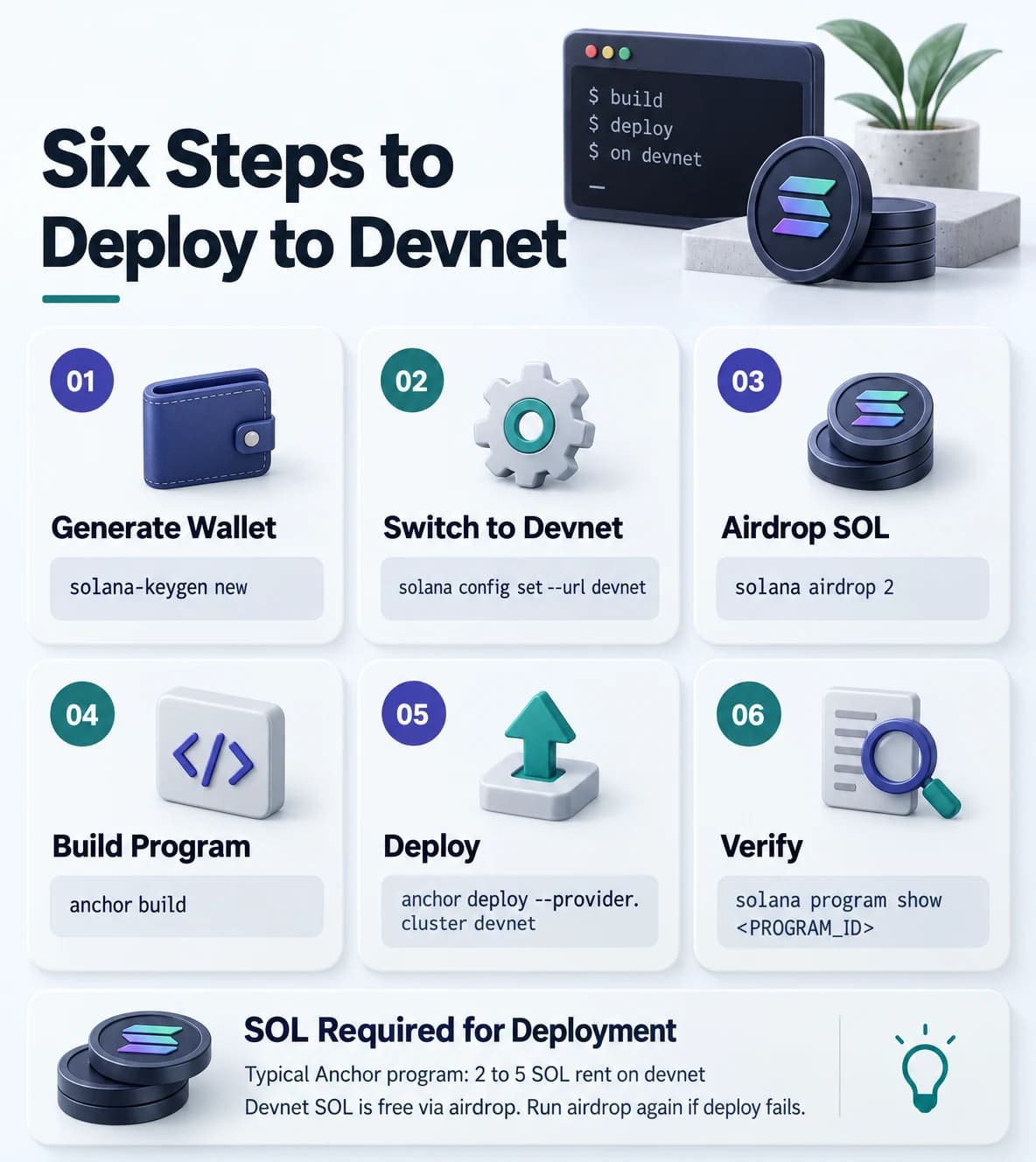
Deploying requires a funded wallet and a successful anchor build. The program ID is permanent once deployed — only the bytecode can be upgraded.
Quick answer
How do I deploy an Anchor program to devnet? Configure your wallet, switch to devnet, request an airdrop for SOL, then run 'anchor deploy --provider.cluster devnet'.
# Generate a wallet if you do not have one
solana-keygen new

# Point Solana CLI at devnet
solana config set --url devnet

# Check your devnet address
solana address

# Airdrop 2 SOL for deployment fees
solana airdrop 2

# Build the program
anchor build

# Deploy to devnet
anchor deploy --provider.cluster devnet

# Check deployment
solana program show <YOUR_PROGRAM_ID>
Update Anchor.toml for devnet testing
Change the cluster line in Anchor.toml from 'localnet' to 'devnet' before running anchor test against devnet. Change it back for local development.
After deployment, copy the program ID from the CLI output and update declare_id! in lib.rs, then rebuild. Your program is now live on devnet and callable from any TypeScript client that knows the program ID. For a deeper look at how Solana accounts hold program state, read the Solana accounts explained guide.
FAQ
Frequently asked questions
Common questions about Anchor setup, testing, and deployment.
What is Anchor in Solana?
Anchor is a Rust framework for writing Solana programs. It generates account validation, serialization, and error handling code through macros, letting you focus on business logic rather than boilerplate.
How do I run Anchor tests?
Run 'anchor test' from the project root. This command compiles your Rust program, starts a local Solana validator, deploys the program, and runs all TypeScript tests in the tests/ directory.
What is declare_id! in Anchor?
declare_id! embeds your program's on-chain address (public key) in the binary. Anchor uses it to verify that instructions are being sent to the correct program. After the first build, copy the generated program ID from target/deploy/ and update this macro.
How much SOL do I need to deploy on devnet?
Devnet SOL is free. Run 'solana airdrop 2' to get 2 SOL. A typical Anchor program costs 2 to 5 SOL equivalent in rent for the program account, depending on program size. Airdrop more if deployment fails with insufficient funds.
Can I update a deployed Anchor program?
Yes, if you retain the upgrade authority keypair. Run 'anchor upgrade target/deploy/counter.so --program-id <ID>'. The on-chain program ID stays the same — only the bytecode changes. To make a program immutable (no further upgrades), run 'solana program set-upgrade-authority --final'.
Written by Mudassir Khan
Agentic AI and blockchain engineer based in Islamabad, Pakistan. CEO of Cube A Cloud (US), Senior DevOps Engineer at Echonos AI, and a Web3 trainer with seven years at PIAIC.
View Blockchain Development service →See Build My Dapp Web3 Delivery case study →
What Is Anchor? The Solana Development Framework
Anchor is the most popular Solana development framework. Learn how it simplifies account handling, instruction routing, and program security checks.
Anchor Accounts in Solana: #[account], Init, Constraints
Learn how Anchor handles accounts in Solana programs. Covers the #[account] derive macro, the init constraint, common validators, and real examples.
Building a smart contract or dapp?
Book a free 30 minute call. I will review your contract or architecture and tell you honestly what it needs before mainnet.